 redict
How to import word sets
By following these simple steps, you can easily import word lists from a text file.
Читать на русскомbrave
careful
famous
happy
interesting
lucky
popular
young
1. First, create a new text file. Then make a list of words. Each new word must be written on a new line.
braveTabхрабрый
carefulTabосторожный
famousTabизвестный
happyTabсчастливый
interestingTabинтересно
luckyTabвезучий
popularTabпопулярный
youngTabмолодой
2. You can add your own version of the translation of the word. To do this, it is enough to add a translation to the line with the word, through "tab".
The example of a file.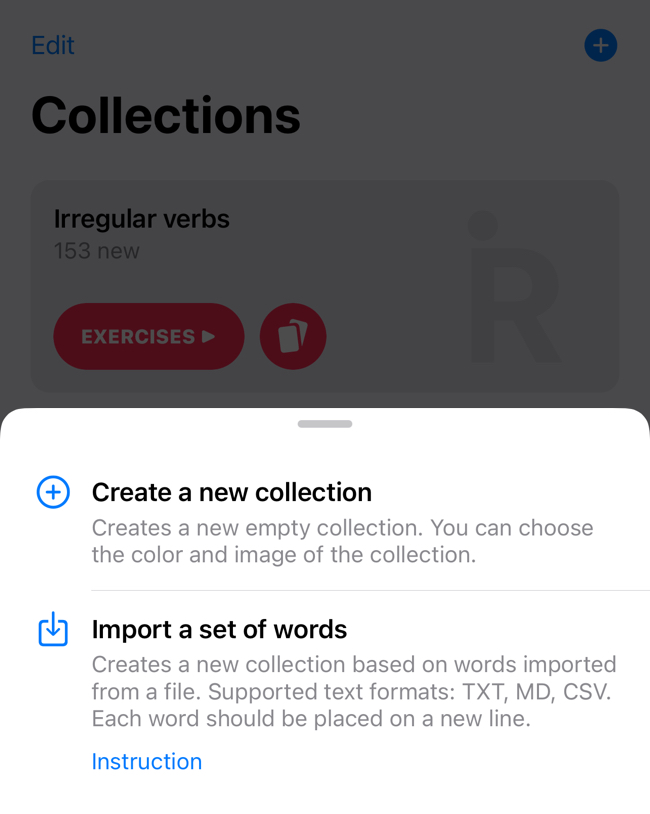
3. Go to the “Study” section in the app and click (+) on the top bar.
In the drop-down list, select "Import word set". The file manager will open. Next, select the file that you created earlier. A new collection will be created with the file name. You can later rename the collection, change its color or the title image.